📌 Key Takeaways & Executive Summary
- SVG Favicon: The modern gold standard for desktop and mobile browsers. Offers infinite scalability, crisp vector rendering on retina displays, and native CSS Dark Mode adaptation.
- PNG Favicon: Universal raster fallback essential for Apple Touch Icons (180x180 px), Android Chrome shortcuts (192x192 & 512x512 px), and Progressive Web Apps.
- ICO Favicon: The legacy multi-resolution container file that remains strictly mandatory at your website root (
/favicon.ico) for backward compatibility, bookmark bars, and automated crawler bots. - The Ideal 2026 Modern Setup: Combine an SVG favicon for modern browsers, a multi-size 32x32/16x16 ICO for legacy fallbacks, and 180x180 PNGs for mobile home screen bookmarks.
The Evolution of the Website Favicon: From Internet Explorer 5 to Modern PWAs
When Microsoft introduced the favicon.ico standard with Internet Explorer 5 back in 1999, the requirements were delightfully simple: place a 16x16 pixel icon in the Windows Bitmap (.ICO) format at the root of your web server, and the browser would display it beside the page title in the bookmarks menu. For nearly a decade, web developers gave little thought to favicon strategy.
Fast forward to 2026, and the web ecosystem has experienced an unprecedented explosion of form factors, pixel densities, and interface paradigms. High-DPI 4K and 5K monitors, Apple Retina displays with 3x device pixel ratios, mobile home-screen application bookmarks, Google Search Mobile rich search snippets, and browser-wide Dark Mode themes have completely rewritten the rules of website branding. Today, a poorly configured or blurry 16x16 favicon looks amateurish, erodes user trust, and hurts organic click-through rates.
To deliver an uncompromised user experience, modern web developers must understand the fundamental architectural distinctions between ICO, PNG, and SVG favicons. Each format serves distinct strengths and structural constraints across modern user agents. In this exhaustive technical guide, we dissect performance benchmarks, browser rendering engines, memory footprints, and practical deployment methods.
Deep Dive: ICO (Windows Icon Format)
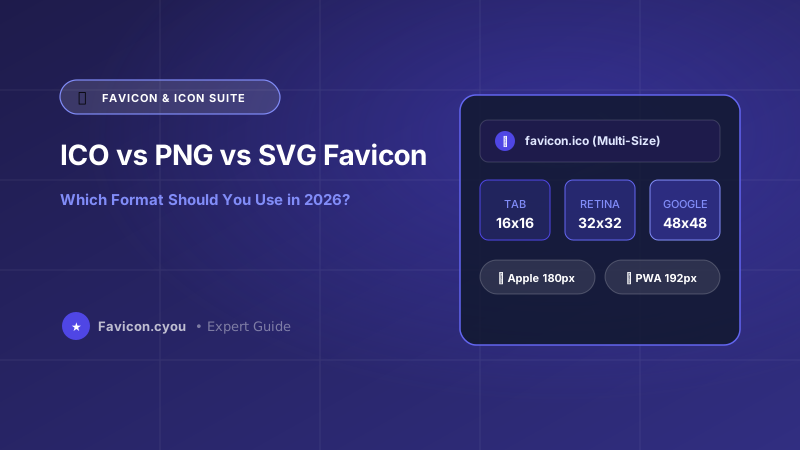
The ICO format is not a single image format; rather, it is a binary container file capable of bundling multiple embedded bitmap images at distinct resolutions and bit-depths. A properly encoded favicon.ico can contain 16x16, 32x32, and 48x48 pixel versions of your logo inside a single lightweight file.
When a browser loads an ICO file, its rasterizer inspects the icon directory headers inside the binary stream, selects the resolution closest to the target display matrix, and renders the image. On standard 96 DPI monitors, the browser extracts the 16x16 frame. On 2x Retina screens, it dynamically swaps in the 32x32 frame to preserve optical sharpness without requiring extra network requests.
Advantages of ICO
- 100% Universal Backward Compatibility: Every web browser ever created, from Internet Explorer 6 to the latest Google Chrome and Mozilla Firefox releases, recognizes and parses
/favicon.ico. - No HTML Header Requirement: Browsers automatically query
https://yourdomain.com/favicon.icoby default even if no<link rel="icon">tag is declared in the HTML header. - Resolution Switching: Windows desktop shortcuts and older browser bookmark managers extract the exact pixel resolution required (16px for tab, 32px for desktop shortcuts) from the container.
Disadvantages of ICO
- Raster Pixelation on High-DPI Screens: Being bitmap-based, ICO files cannot scale dynamically to ultra-high-resolution 4K or 8K displays without manual multi-resolution embedding.
- No Native Dark Mode Support: ICO files are static bitmaps that cannot adjust their fill or stroke colors based on the user's OS color scheme.
- Larger Relative Footprint: Embedding three or four resolutions in an ICO file can increase the file size to 15 KB - 25 KB if uncompressed.
Deep Dive: PNG (Portable Network Graphics)
The PNG format is the undisputed king of web raster graphics. With support for 24-bit RGB color palettes and 8-bit alpha transparency, PNG favicons allow semi-transparent drop shadows, anti-aliased curves, and vibrant photographic details that legacy ICO files struggled to render cleanly.
Introduced to web standards as an open-source replacement for patent-encumbered GIFs, PNG employs lossless Deflate compression (combining LZ77 and Huffman coding). Because PNG supports high bit depths, designers can create icons with smooth edge transitions against any tab background color, whether light gray, charcoal, or dark blue.
Advantages of PNG
- Flawless Alpha Transparency: PNG provides crisp, clean anti-aliasing against any browser tab background, avoiding the jagged edge halos common in early GIF and ICO icons.
- Lightweight File Size: Highly optimized PNG favicons compressed with Deflate compression typically measure between 1 KB and 3 KB for a 32x32 or 48x48 icon.
- Mobile Standard: Apple iOS explicitly requires PNG for the
apple-touch-icon(180x180 px), and Google Android Chrome mandates PNG for PWA home screen badges (192x192 px and 512x512 px).
Disadvantages of PNG
- Resolution-Bound: Serving a 32x32 PNG on a 3x Retina display forces browser interpolation, leading to subtle blurriness unless multiple PNG sizes are explicitly linked.
- Static Color Palette: Similar to ICO, PNGs cannot dynamically respond to CSS media queries or system dark mode toggles.
Deep Dive: SVG (Scalable Vector Graphics)
The SVG format represents the newest milestone in web icon design. Represented as XML-based mathematical vectors rather than fixed grids of pixels, SVG favicons scale with mathematical precision from a tiny 16px desktop tab to a gigantic 500px preview without a solitary hint of quality degradation.
Unlike raster images that store individual pixel color coordinates, an SVG stores geometric primitives: paths, cubic Bézier curves, circles, and polygons. This mathematical definition makes SVG resolution-independent by definition. Whether rendered on an inexpensive 1080p monitor or Apple's 6K Pro Display XDR, lines remain perfectly crisp with zero anti-aliasing artifacts.
Advantages of SVG
- Infinite Mathematical Sharpness: SVG renders with razor-sharp edges on any display resolution, pixel density, or zoom magnification level.
- Embedded CSS & Native Dark Mode: By embedding a
@media (prefers-color-scheme: dark)block directly inside the SVG markup, the favicon automatically switches colors (e.g., from black to crisp white or neon cyan) when the user turns on Dark Mode! - Microscopic File Size: Clean vector SVG icons often weigh less than 800 bytes to 1.5 KB, speeding up network requests.
Disadvantages of SVG
- Partial Mobile Support: While desktop Chrome, Firefox, Edge, and Safari support SVG favicons seamlessly, Apple Safari on iOS still relies on PNG for home screen bookmarks and tab icons.
- Security Sanitization: Because SVG is XML, browsers disable JavaScript execution and external resource loading inside favicons to prevent XSS attacks.
Comprehensive Technical Comparison: ICO vs PNG vs SVG
| Feature / Metric | ICO Container | PNG Raster | SVG Vector |
|---|---|---|---|
| Scaling Behavior | Fixed bitmap sizes (16, 32, 48) | Fixed bitmap size (per file) | Infinite mathematical scaling |
| Retina Display Sharpness | Moderate (requires 32px/48px) | High (requires 2x/3x assets) | Perfect 100% vector sharpness |
| Dark Mode Adaptation | No (Static bitmap) | No (Static bitmap) | Yes (Native embedded CSS media queries) |
| Average File Size | 5 KB – 20 KB (multi-size) | 1 KB – 4 KB (single size) | 0.5 KB – 2 KB (vector) |
| Desktop Browser Support | 100% Universal (All browsers) | 99% Modern & legacy browsers | Chrome, Firefox, Edge, Safari Desktop |
| iOS / Android Support | Fallback only | 100% Mandated (Touch Icons) | Partial desktop-only on Safari |
| Transparency Support | 1-bit or 8-bit alpha | Full 8-bit alpha transparency | Full vector alpha & gradient support |
| Automatic Browser Fallback | Yes (default /favicon.ico) | Requires HTML link tag | Requires HTML link tag |
The Bulletproof 2026 Modern Favicon Implementation Code
Below is the industry-standard, production-ready HTML header snippet recommended by Google and Mozilla for maximum performance, dark mode support, and full backward compatibility across all devices:
<!-- 1. Modern Scalable Vector Favicon with Dark Mode support -->
<link rel="icon" type="image/svg+xml" href=""/favicon.svg">"
<!-- 2. Universal PNG Fallback for high-resolution standard screens -->
<link rel="icon" type="image/png" sizes="32x32" href=""/favicon-32x32.png">"
<link rel="icon" type="image/png" sizes="16x16" href=""/favicon-16x16.png">"
<!-- 3. Apple Touch Icon for iOS home screen bookmarks -->
<link rel="apple-touch-icon" sizes="180x180" href=""/apple-touch-icon.png">"
<!-- 4. Web App Manifest for Android Chrome & PWA installation -->
<link rel="manifest" href=""/site.webmanifest"></code">Step-by-Step: How to Generate and Deploy Modern Favicons in 5 Minutes
- 1. Design a High-Contrast 512x512 Master Asset: Create your logo on a square 512x512 canvas. Keep geometric lines bold and minimize intricate text that becomes illegible at 16x16 pixels.
- 2. Export an SVG and Clean Its Markup: Export a clean SVG file and add
@media (prefers-color-scheme: dark) { path { fill: #ffffff; } }to support Dark Mode automatically. - 3. Generate Multi-Size PNG and ICO Files: Use our free Multi-Size Favicon Generator to convert your master artwork into 16x16, 32x32, 180x180, 192x192, and 512x512 PNG assets and a multi-resolution ICO file.
- 4. Upload to Website Root and Paste Header Code: Upload
favicon.ico,favicon.svg, and your PNG files to your root public directory, and verify your configuration with our Website Favicon Checker.
Favicon Performance & Core Web Vitals (CWV) Optimization
While a favicon is physically tiny, an unoptimized favicon configuration can quietly damage your Core Web Vitals and PageSpeed Insights score in several subtle ways:
- Eliminate 404 Requests: When browsers don't find an explicit favicon, they immediately trigger an asynchronous background request to
/favicon.ico. If your server returns a 404 handler that renders a heavy 100 KB error page, you waste valuable server CPU and network bandwidth. - Aggressive Browser Caching: Favicons rarely change. Configure your
.htaccessor Nginx web server to serve favicons with a long-livedCache-Control: public, max-age=31536000, immutableHTTP header. - Keep Vectors Lean: When using an SVG favicon, run it through our SVG Compressor to strip unnecessary metadata, editor comments, and invisible shapes, ensuring file weight remains under 1 KB.
Recommended Free Client-Side Tools for Favicon Mastery
Use these privacy-first, zero-upload web tools on Favicon.cyou to streamline your favicon workflow:
- Website Favicon Checker — Inspect any website's live favicon tags, HTTP status codes, and cross-browser preview.
- Multi-Size Favicon Generator — Convert any image or PNG into complete 16x16, 32x32, 48x48, and 180x180 multi-size packages.
- SVG to ICO Converter — Convert vector SVG graphics into production-ready ICO files with complete privacy.
- PNG to ICO Converter — Generate multi-resolution Windows ICO icons directly from transparent PNG images.
Final Verdict & Best Practice Recommendations
In 2026, the question is not whether to choose ICO, PNG, or SVG — the professional strategy is deploying a cohesive hybrid approach. Use SVG as your primary modern vector favicon for desktop browsers and dark mode, supply PNGs for Apple Touch Icons and Android PWA manifests, and place a multi-size ICO at your server root to satisfy older browsers and search bots.
Preguntas Frecuentes
Can I use an SVG as my only website favicon in 2026?
While modern desktop browsers (Chrome, Firefox, Edge) fully support SVG favicons, using SVG exclusively is not recommended. Apple Safari on iOS mobile devices and legacy search engine crawlers still expect a PNG or classic /favicon.ico file. Always supply PNG fallbacks.
How do I make my favicon automatically change color in Dark Mode?
You can achieve dynamic dark mode adaptation by using an SVG favicon. Within your SVG code, include a <style> block containing @media (prefers-color-scheme: dark) { path { fill: #ffffff; } }. The browser will automatically re-render the vector colors based on the user's system preferences.
Why does Google Search show the wrong favicon or a default globe icon?
Googlebot-Image crawls favicons separately from normal web pages. If your favicon is blocked in robots.txt, is smaller than 48x48 pixels, or returns a 301 redirect loop, Google will fall back to a generic globe icon. Inspect your icon with our Website Favicon Checker.
What is the exact recommended size for an Apple Touch Icon?
The universal modern recommendation for the Apple Touch Icon is exactly 180x180 pixels in PNG format with a transparent or solid background. iOS automatically rounds the corners and adds subtle lighting when saved to the home screen.
What happens if I don't upload a /favicon.ico file to my server root?
Almost all web browsers and automated bots will automatically send a request to yourdomain.com/favicon.ico. If the file is absent, your server will register a 404 Not Found error in your access logs, causing unnecessary server resource utilization.
Is ICO or PNG better for a 16x16 pixel favicon?
For 16x16 desktop tabs, both formats look virtually identical if created properly. However, an ICO file allows you to bundle both 16x16 and 32x32 inside a single file, allowing the browser to choose the sharper 32px version on Retina displays.
Does having a large favicon file size affect website loading speed?
Yes. Although favicons are loaded asynchronously, an uncompressed 100 KB favicon wastes cellular mobile bandwidth and can block the browser's network connection thread during early page rendering. Aim to keep all favicon assets under 5 KB.