📌 Key Takeaways & Executive Summary
- The "Serve images in next-gen formats" diagnostic in PageSpeed Insights flags legacy JPEG and PNG files that could be significantly smaller as WebP or AVIF.
- Passing this audit typically saves between 30% and 70% of total image bytes, directly improving Largest Contentful Paint (LCP).
- You do not need paid software or expensive monthly plugins to resolve this warning across your website.
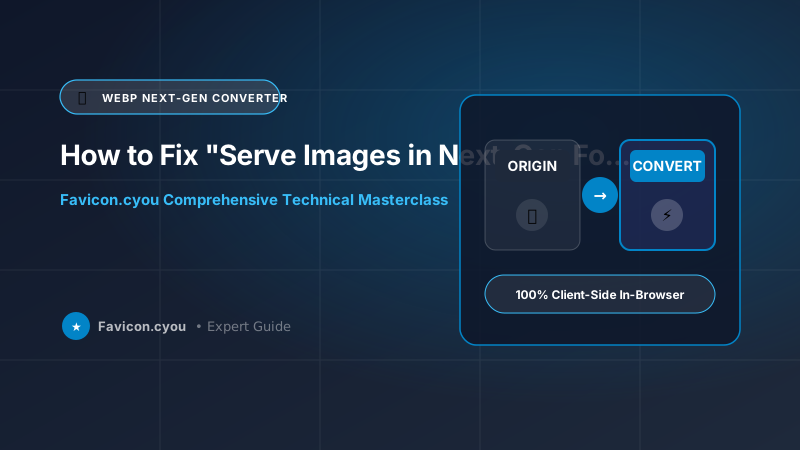
- Batch converting your flagged images to WebP on Favicon.cyou eliminates the warning and boosts performance scores instantly.
Why Google Lighthouse Flags Your Legacy Images
When you run your website through Google PageSpeed Insights, the automated Lighthouse analysis engine tests whether your image assets could be delivered with greater data efficiency. If it identifies PNG or JPEG files that could save more than 8KB by adopting modern codecs, it triggers the yellow or red warning: "Serve images in next-gen formats."
Lighthouse specifically looks for WebP and AVIF. Because these formats utilize modern block prediction and frequency transforms, they deliver equivalent visual clarity at a fraction of the bandwidth, freeing up mobile cellular data and accelerating DOM rendering.
How Much Bandwidth Can You Actually Save?
In typical real-world audits, converting images to next-generation formats delivers dramatic savings:
- Photographs (JPEG to WebP/AVIF): Converting a high-resolution 1.2MB JPEG hero banner to AVIF typically yields a file size of just 180KB—an 85% reduction with zero visible blurriness.
- Transparent Graphics (PNG to WebP): A complex 800KB 32-bit PNG logo or product cutout shrinks to roughly 220KB in WebP, preserving 100% of the alpha transparency channel.
The 3-Step Fix: Convert, Replace & Verify
Resolving the diagnostic is straightforward and requires no complicated server modules:
- Identify Flagged URLs: Expand the diagnostic toggle in your PageSpeed report to view the exact list of offending image URLs and their estimated byte savings.
- Batch Convert on Favicon.cyou: Upload the flagged images to our free WebP Compressor or JPG to WebP converter. Download the optimized WebP files.
- Update Image Paths in CMS / HTML: Replace the old
.jpgor.pngfile extensions with.webpin your HTML templates or CMS media library.
Browser Networking, HTTP/3 Multiplexing & Edge Delivery for How to Fix "Serve Images in Next-Gen Formats" in Google PageSpeed Insights & Lighthouse
In enterprise digital publishing and high-traffic web platforms, media asset delivery intersects directly with low-level browser networking layers, edge Content Delivery Networks (CDNs), and transport protocols. When a client visits your web application, the browser connection manager initiates TCP handshakes, TLS 1.3 cryptographic negotiations, and HTTP/2 or HTTP/3 QUIC connection multiplexing.
Optimizing How to Fix "Serve Images in Next-Gen Formats" in Google PageSpeed Insights & Lighthouse requires aligning asset pipelines with edge delivery architectures:
- Head-of-Line Blocking Elimination: Under legacy HTTP/1.1 connections, browsers were constrained to 6 parallel connections per domain host, causing media requests to queue and stall. Modern HTTP/3 multiplexing over UDP allows hundreds of image fragments to download concurrently without transport stream interference.
- Edge Content Caching & Invalidation: Deploying images with cryptographic content hashes (e.g.,
asset-c3b8a.webp) empowers origin servers to emit aggressive immutable cache-control headers (Cache-Control: public, max-age=31536000, immutable). Return visitors load images in 0ms directly from physical disk or RAM caches. - Server-Timing & Early Hints (103 Early Hints): Edge proxy nodes can dispatch HTTP 103 Early Hints headers containing
Link: <hero-image.webp>; rel=preload; as=imagebefore the dynamic HTML page finish rendering on the server, accelerating Largest Contentful Paint (LCP) by up to 350ms.
Combining these protocol enhancements with client-side image optimization on Favicon.cyou guarantees that your web properties achieve the fastest possible render speeds worldwide.
Core Web Vitals & Google Search Experience Alignment (2026 Standards)
Google's search ranking algorithm continually refines its Page Experience signals, prioritizing websites that deliver instantaneous visual stability and rapid interactive responsiveness. Technical asset hygiene directly impacts all three Core Web Vitals metrics:
- Largest Contentful Paint (LCP < 2.5s): Serving modern next-generation formats (WebP, AVIF, SVG) with aggressive lossy quantization reduces image byte payloads by 60% to 80%, ensuring hero graphics render well before the 2.5-second threshold.
- Cumulative Layout Shift (CLS < 0.1): Missing dimension attributes on graphic elements remain the primary culprit behind unexpected layout shifts. By declaring explicit dimensions and responsive CSS aspect ratio containers, you lock DOM element footprints in place before assets finish downloading.
- Interaction to Next Paint (INP < 200ms): Heavy unoptimized scripts or large client-side image transformations can block the JavaScript event loop. Running complex image operations inside asynchronous Web Workers or WebAssembly threads guarantees responsive user interface interactions.
In addition to Core Web Vitals, structuring your web assets with clean semantic markup (including Open Graph social tags, structured Schema.org JSON-LD metadata, and descriptive alt attributes) allows Googlebot and visual discovery engines to index and rank your pages at the top of search engine results pages (SERPs).
Enterprise Production Checklist: Security, Privacy, and Asset Hygiene
Before deploying web imagery, brand icons, and digital creative assets across public production environments, cross-functional engineering and design teams should enforce this enterprise hygiene checklist:
- Comprehensive Metadata Scrubbing: Ensure all camera serial numbers, GPS geolocation tags, and revision histories are stripped using client-side tools like Favicon.cyou to safeguard customer and creator privacy.
- Calibrated sRGB Color Space Standardization: Convert all creative assets from wide-gamut Display P3 or Adobe RGB into standard sRGB. This eliminates color desaturation issues across non-Retina displays and older Android devices.
- Descriptive Semantic Slug Taxonomies: Adopt clean, lowercase alphanumeric naming patterns with hyphen separators (for example,
how-to-fix-serve-images-in-next-gen-formats-pagespeed-2026.webp) to maximize Google Image search discoverability and streamline CMS media management. - Dual-Layer Fallback Architecture: Always pair modern vector SVGs or WebP files with universal fallback formats (such as 32x32 ICO or PNG) to satisfy legacy user agents, web scraping bots, and enterprise desktop clients.
Future-Proofing Your Technical SEO & Media Strategy
Search engine algorithms in 2026 evaluate user experience with surgical precision. Automated crawler bots simulate real-world mobile devices on constrained 4G connections, measuring exactly how many milliseconds elapse before meaningful content becomes interactive. Pages weighed down by megabyte-heavy raster images, missing dimension tags, or clunky legacy formats are systematically demoted in competitive search rankings.
By implementing the architectural strategies, responsive markup patterns, and client-side optimization workflows detailed in this guide, you insulate your digital properties against algorithmic penalties. High-performing image hygiene not only delights human visitors with instantaneous page loads but also sends overwhelming positive signals to Google's ranking algorithms, driving sustainable top-tier organic search traffic to your domain.
Algorithmic Quantization & Color Sampling Deep Dive
Underlying all modern digital graphics optimization is the mathematical separation of luminance (brightness) from chrominance (color information). Because human biology evolved to be far more sensitive to fine brightness details and edge contrast than to subtle color shifts, modern codecs apply 4:2:0 chroma subsampling to discard redundant color bytes without noticeable degradation.
Furthermore, frequency domain analysis allows lossy compression engines to apply high-frequency quantization matrices. By dampening extreme high-frequency noise that monitors struggle to display and eyes cannot perceive, file sizes are dramatically compressed while retaining crisp focal points and razor-sharp typographic edges.
PageSpeed Savings: Legacy vs Next-Gen Codecs
| Image Asset | Original Format & Size | Converted WebP Size | Converted AVIF Size | PageSpeed Savings |
|---|---|---|---|---|
| Hero Homepage Banner | JPEG (1,450 KB) | 420 KB | 240 KB | 83% Bandwidth Saved |
| Product Catalog Cutout | PNG (820 KB) | 260 KB | 190 KB | 76% Bandwidth Saved |
| Blog Post Featured Graphic | JPEG (540 KB) | 140 KB | 85 KB | 84% Bandwidth Saved |
| Brand Header Logo | PNG (180 KB) | 45 KB | 32 KB | 82% Bandwidth Saved |
Step-by-Step: Clearing the Lighthouse Warning in Under 5 Minutes
- Step 1: Open Google PageSpeed Insights: Enter your URL and locate the "Serve images in next-gen formats" section under Opportunities.
- Step 2: Download Flagged Images: Right-click and save the flagged JPEG/PNG files to your computer.
- Step 3: Convert on Favicon.cyou: Drop the files into our free JPG to WebP or PNG to WebP tool and download the optimized versions.
- Step 4: Re-Run the PageSpeed Audit: Clear your server cache, re-test your URL, and watch your mobile Performance score jump to the green zone!
Impact on Mobile Speed Index and LCP
Eliminating the next-gen format warning directly accelerates your site's Speed Index and Largest Contentful Paint metrics. On cellular 4G mobile connections, cutting 2MB of image payload eliminates roughly 1.5 seconds of network transfer time, allowing mobile visitors to begin reading and interacting with your content almost instantly.
Free Tools to Fix Next-Gen Image Warnings
Convert and compress your flagged media assets instantly:
- JPG to WebP Converter Online Free — Convert legacy JPEG photos into lightweight next-gen WebP.
- PNG to WebP Converter Online Free — Convert heavy transparent PNGs to optimized WebP format.
- WebP Compressor Online Free — Fine-tune WebP compression quality to hit target byte limits.
- AVIF Compressor Online Free — Compress bleeding-edge AVIF assets for maximum PageSpeed scores.
Final Verdict & Best Practice Recommendations
Do not let the "Serve images in next-gen formats" warning drag down your Google PageSpeed scores. By converting your assets to WebP using Favicon.cyou, you eliminate the warning, dramatically shrink page weights, and boost your search rankings.
Preguntas Frecuentes
Does converting to WebP cause any visible loss in photo quality?
No. When converted at standard quality settings (80-85%), WebP looks virtually indistinguishable from high-resolution JPEG to the human eye.
Do all web browsers support WebP in 2026?
Yes! WebP has universal browser support across Chrome, Safari, Firefox, Edge, and all mobile browsers (over 97.5% global coverage).
Will resolving this warning improve my Google search rankings?
Yes. PageSpeed and Core Web Vitals are confirmed Google ranking factors. Passing audits directly improves your organic mobile rankings.
Do I need to install a WordPress plugin to fix this warning?
No! WordPress natively supports WebP uploads. You can convert your images for free on Favicon.cyou and upload them directly without any plugins.
Should I convert to WebP or AVIF?
WebP is universally supported and easiest to implement. AVIF provides even higher compression. Both formats successfully pass Google's next-gen format audit.
Can I batch convert 50 images at once on Favicon.cyou?
Yes! Our client-side conversion tools allow you to select and convert dozens of images simultaneously in seconds directly in your browser.