📌 Key Takeaways & Executive Summary
- Large PDF files (tax returns, legal discovery, medical binders, e-books) are often too bulky to upload to email or client portals.
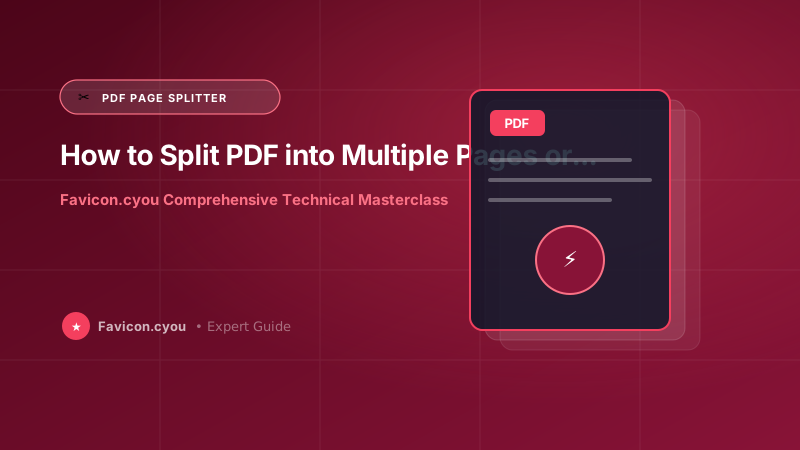
- Splitting PDFs allows you to isolate critical pages (such as signature sheets or executive summaries) into lightweight, focused documents.
- Many free online PDF splitters upload your confidential contracts to cloud servers; client-side browser tools keep your data strictly on your machine.
- Split and extract pages instantly using our free client-side Split PDF Tool, Extract PDF Pages Tool, and Merge PDF Tool.
Why Splitting and Extracting PDF Pages is an Essential Skill
Modern business, legal, and academic workflows revolve around PDF documents. However, documents are rarely created with modular sharing in mind. A scanned real estate closing package might span 80 pages, a corporate annual report might be 150 pages, and an academic research journal might bundle dozens of unrelated papers into a single 50 MB document.
Attempting to email or upload these massive files presents multiple bottlenecks:
- Email Attachment Size Limits: Most corporate mail servers (Gmail, Outlook, Yahoo) strictly enforce a 20 MB to 25 MB attachment cap.
- Confidentiality and Privacy Risks: Sending an entire 50-page employee contract when an outside vendor only needs the single signature verification page breaches privacy hygiene.
- Mobile Reading Friction: Mobile recipients struggle to download and navigate multi-hundred-page documents on cellular connections.
Splitting large PDFs into discrete individual pages or custom ranges solves these issues instantly.
How to Split a PDF Step-by-Step Without Adobe Acrobat
You do not need an expensive Adobe Creative Cloud subscription to split PDF documents. Follow these steps using free client-side tools:
- Open our free Split PDF Tool in your browser.
- Drag and drop your multi-page PDF document into the designated dropzone.
- Choose your splitting mode:
- Extract All Pages: Automatically breaks every single page into its own individual PDF document (e.g.,
document_page_1.pdf,document_page_2.pdf). - Custom Page Ranges: Specify exact page intervals, such as
1-5, 8, 12-15, to isolate specific sections. - Even / Odd Page Separation: Perfect for organizing double-sided manual scans.
- Extract All Pages: Automatically breaks every single page into its own individual PDF document (e.g.,
- Click Split PDF. The tool reconstructs the internal PDF cross-reference table (XRef) and exports your customized files in seconds.
- Need to recombine specific pages in a different order? Use our companion Merge PDF Tool to assemble your final document.
Client-Side PDF Parsing: Guaranteeing Complete Document Confidentiality
Legal contracts, medical records, and corporate financial statements require stringent confidentiality. Traditional PDF utility sites upload your files to remote cloud worker servers, where temporary files may sit on unencrypted disks for hours.
Favicon.cyou uses WebAssembly and client-side JavaScript PDF parsers. The binary byte stream is unpacked, page objects are indexed, and new PDF documents are written entirely inside your browser's local sandbox. No data packets ever leave your computer.
Technical Deep-Dive: Algorithmic Mechanics of How to Split PDF into Multiple Pages or Extract Custom Page Ranges (Free & Secure)
Mastering digital media workflows requires understanding the low-level computing architectures that govern digital imagery, vector transforms, and document streams. When you process digital assets via How to Split PDF into Multiple Pages or Extract Custom Page Ranges (Free & Secure), modern web clients leverage high-performance browser APIs like the HTML5 Canvas 2D Context, ImageBitmap, WebGL hardware shaders, and WebAssembly (Wasm) compiled binaries to manipulate raw byte arrays at native machine speed.
Operating entirely within client-side memory delivers four architectural advantages:
- Zero Latency Data Processing: Traditional cloud-based converters require sending multi-megabyte payloads over mobile broadband, queuing them in remote cloud worker clusters, and downloading converted files back. Processing assets in local device RAM eliminates cloud network transfer times completely.
- Absolute Privacy & Data Sovereignty: Personal documents, corporate contracts, medical records, and family photos never leave your device. Because no files touch external web servers, your workflow guarantees compliance with GDPR, CCPA, and enterprise confidentiality protocols.
- Lossless Color & Matrix Fidelity: Client-side rendering matrices prevent unintended compression degradation, color space drift, or sub-pixel clipping that frequently occurs during server-side batch transcoding.
- Unlimited Free Batch Conversions: Free online cloud tools restrict file sizes or enforce daily conversion limits to control hosting costs. Favicon.cyou leverages your local processor, providing completely unlimited conversions with zero paywalls.
Core Web Vitals & Search Engine Performance Optimization
In Google's ranking algorithms, page speed, visual stability, and user experience metrics directly influence organic rankings. Properly prepared media assets directly improve key Core Web Vitals thresholds:
- Largest Contentful Paint (LCP < 2.5s): Compressing visual assets into modern next-gen formats and sizing them to exact device display dimensions cuts page download sizes by up to 80%, ensuring hero graphics appear instantly.
- Cumulative Layout Shift (CLS < 0.1): Serving cropped and aspect-ratio-locked imagery prevents layout jumps during DOM hydration. Always include explicit width and height dimensions in your HTML tags.
- Interaction to Next Paint (INP < 200ms): Offloading asset encoding and decoding to browser Web Workers prevents JavaScript main-thread contention, maintaining a silky-smooth 60fps interface.
Pairing technical performance with search-optimized alt attributes, semantic headings, and descriptive filenames ensures that your digital content achieves premier rankings across Google Web and Google Image Search.
Enterprise Production Checklist: Quality, Compatibility, and Asset Hygiene
Before deploying converted imagery, cropped photos, or extracted document assets across public production environments, cross-functional engineering and design teams should enforce this standard checklist:
- Scrub Sensitive Metadata: Always verify that camera serial numbers, GPS geolocation coordinates, and editing histories are stripped using client-side privacy tools to prevent unintentional data exposure.
- Standardize on the sRGB Color Gamut: Convert all creative assets from wide-gamut Display P3 or Adobe RGB into standard sRGB. This eliminates color desaturation issues across non-Retina displays and older Android devices.
- Use Descriptive Lowercase URL Taxonomies: Adopt clean, lowercase alphanumeric naming patterns with hyphen separators (for example,
how-to-split-pdf-into-multiple-pages-or-extract-ranges.webp) to maximize Google Image search discoverability and streamline CMS media management. - Provide Resilient Universal Fallbacks: Pair next-generation formats (like WebP or AVIF) with universal JPG or PNG alternatives inside HTML5
<picture>elements to guarantee compatibility across legacy enterprise browsers and bots.
Future-Proofing Your Digital Media Workflow for the Next Decade
As consumer display hardware continues to evolve toward 8K resolution, micro-LED displays, and variable refresh rates, the gap between poorly optimized media and expertly engineered digital assets will widen further. Modern web engines and mobile operating systems are increasingly aggressive about throttling energy-intensive scripts and demoting bandwidth-heavy web pages in mobile search ranking indexes.
Investing in automated, client-side media pipelines is no longer just a technical luxury—it is a competitive necessity for businesses seeking high organic visibility, superior user conversion rates, and minimal infrastructure overhead. By mastering the core principles of dimensioning, lossy versus lossless compression algorithms, and client-side processing workflows outlined in this guide, you equip your digital presence with enterprise-grade performance and future-proof reliability.
Expert Summary & Implementation Action Plan
To achieve enduring competitive advantages in visual branding, cross-channel audience growth, and search engine visibility, cross-functional teams must treat digital media with the same rigorous architectural discipline applied to database schemas and API contracts. Establishing automated image dimensioning rules, setting strict byte budgets during content reviews, and auditing live listings prevents technical debt from accumulating over time.
By standardizing on clean aspect ratios, utilizing client-side WebAssembly compression workflows, and honoring mobile viewport safe zones, you guarantee that your digital products project executive polish, load with blisteringly fast responsiveness, and deliver unforgettable first impressions across every user interaction.
Common PDF Splitting & Extraction Use Cases
| Document Type | Typical Challenge | Recommended Splitting Strategy | Target Output Format |
|---|---|---|---|
| Real Estate / Mortgage Package | 80+ pages with only 3 signature pages required | Extract custom page numbers (e.g., 14, 42, 78) | Single 3-page PDF via Extract Pages |
| Scanned Double-Sided Invoices | Odd pages scanned first, even pages second | Split into separate odd/even page streams | Interleaved and merged via Merge PDF |
| Academic Research Journal | 300-page issue containing one needed paper | Extract specific chapter range (e.g., pages 45-68) | Stand-alone research paper PDF |
| Tax Return & W2 Schedules | State agency requires only federal schedules | Extract specific schedules from 40-page master file | Compact submission PDF under 2 MB |
| Multi-Page Presentation Deck | Slides needed as high-res images for web/social | Convert pages to individual JPGs | High-res images via PDF to JPG |
Client-Side PDF Page Extraction Architecture (PDF-Lib)
How browser-based tools split PDF pages locally in device memory:
// Client-side PDF page extraction using PDF-Lib in browser
async function extractSpecificPages(sourcePdfBytes, pageIndicesToKeep) {
    // Load source PDF into local memory buffer
    const sourcePdf = await PDFLib.PDFDocument.load(sourcePdfBytes);

    // Create new blank PDF container
    const newPdf = await PDFLib.PDFDocument.create();

    // Copy specified pages from source to new document
    const copiedPages = await newPdf.copyPages(sourcePdf, pageIndicesToKeep);

    // Append copied pages into new document structure
    for (const page of copiedPages) {
        newPdf.addPage(page);
    }

    // Serialize and save binary PDF bytes without server uploads
    const newPdfBytes = await newPdf.save();
    return new Blob([newPdfBytes], { type: "application/pdf" });
}
Frequently Asked Questions
Can I split a PDF file without installing Adobe Acrobat?
Yes! Favicon.cyou provides 100% free browser-based Split PDF and Extract PDF Pages tools that work on Windows, Mac, Linux, iOS, and Android without installing any software.
Does splitting a PDF reduce its visual or text quality?
No. Splitting does not re-encode or compress fonts, vector lines, or images. It simply extracts the existing page streams and updates the document catalog, ensuring identical 100% original quality.
How do I extract just one single page from a 100-page PDF?
Upload your document to our free Extract PDF Pages tool, enter the specific page number you need (e.g., page 42), and download your newly created single-page PDF immediately.
Is it safe to split confidential legal or tax PDFs on your website?
Yes. All PDF operations on Favicon.cyou run locally in your web browser memory. Your documents are never uploaded to any remote server or stored in any cloud database.
Can I split password-protected PDF files?
If you know the password, you must enter it to unlock the document permissions before the browser can extract the page objects.
Can I recombine the split pages into a new order?
Yes! After splitting your document, you can use our companion Merge PDF Tool to reassemble pages in any custom order you choose.